February 11, 200719 yr http://www.ultimatesubaru.org/photos/showphoto.php?photo=14298&cat=500&ppuser=18606 http://www.ultimatesubaru.org/photos/showphoto.php?photo=14299&cat=500&ppuser=18606 http://www.ultimatesubaru.org/photos/showphoto.php?photo=14297&cat=500&ppuser=18606
February 11, 200719 yr Author Thanks, i am going to take some daytime pics today. should have them posted by tonight
February 11, 200719 yr I buy the driving light models and wire them via relay to my high beam circuit. I have put them in both OB's and run a set on my Brat Great lights.
February 12, 200719 yr I really like the way the legacy looks with lights mounted in the grille like that.
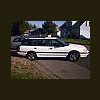
February 12, 200719 yr Author daytime pics http://www.ultimatesubaru.org/photos/showphoto.php?photo=14329&cat=500&ppuser=18606
February 12, 200719 yr Author What's with the Po-Po in the background of this shot? He's my neighbor and a very cool guy...he likes loud music and gettin'
February 12, 200719 yr He's my neighbor and a very cool guy...he likes loud music and gettin' That's my favorite kind of cop...

Please sign in to comment
You will be able to leave a comment after signing in
Sign In Now