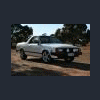
April 24, 200718 yr I was searchin the net and found this if it has already been posted then sorry I thought you all like it. http://htautos.co.uk/8.html?frm_data1=113&frm_data1_type=large Enjoy Tim
April 24, 200718 yr it might just be my training as a graphic designer, but that looks rediculously photoshopped. it may just be the low resolution/poor quality aspect of it, but i don't trust it off-the-bat.
April 24, 200718 yr after viewing the rest of the picture in the gallery, i retract my previous statement.
April 24, 200718 yr it might just be my training as a graphic designer, but that looks rediculously photoshopped. it may just be the low resolution/poor quality aspect of it, but i don't trust it off-the-bat. I thought the same at first... but look at the rest of the pics. They have the mod from start to finish
April 24, 200718 yr Call it a brat and put it on the showroom floor someone send that link to subaru and tell them thats what a brat/baja should look like. nipper

Please sign in to comment
You will be able to leave a comment after signing in
Sign In Now