Skip to content
View in the app

A better way to browse. Learn more.

Ultimate Subaru Message Board

A full-screen app on your home screen with push notifications, badges and more.

To install this app on iOS and iPadOS
  1. Tap the Share icon in Safari
  2. Scroll the menu and tap Add to Home Screen.
  3. Tap Add in the top-right corner.
To install this app on Android
  1. Tap the 3-dot menu (⋮) in the top-right corner of the browser.
  2. Tap Add to Home screen or Install app.
  3. Confirm by tapping Install.

SubaruBratBoy's Brat

Featured Replies

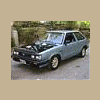
For those of us who don't have myspace, here's his new toy.


Pic_0001.jpg

Pic_0002.jpg

Pic_0003.jpg

Pic_0004.jpg


I would like to add that this Brat is in really good shape compaired to some I've seen in and around his area.


Good find!!!

awesome. that was on ebay a couple weeks ago. looks clean:slobber:

  • Author
awesome. that was on ebay a couple weeks ago. looks clean:slobber:


I thought this was the same one... I was tempted to go to the bank for that one... But then I remembered both bank and loan are four letter words...

  • Author
I like it Shannon, keep that thing on the road.


If it was mine you know I would, lol...


This one belongs to another member, I just posted them up

Shannon, theres a 87 brat on philadelphia CL for $1200 if your looking......

Please sign in to comment

You will be able to leave a comment after signing in

Sign In Now

Account

Navigation

Search

Search

Configure browser push notifications

Chrome (Android)
  1. Tap the lock icon next to the address bar.
  2. Tap Permissions → Notifications.
  3. Adjust your preference.
Chrome (Desktop)
  1. Click the padlock icon in the address bar.
  2. Select Site settings.
  3. Find Notifications and adjust your preference.