July 26, 200718 yr hey all now I have a choice of three rims for my RX2 The choices are Multispoke 13",8 spoke 14" or the Stock 13"
July 26, 200718 yr Use one of the two on the right, and ship me the one on the left I say the ones on the left myself.
July 27, 200718 yr I'd go the one on the right (rally style) and find some hard compound rally tires to suite... You've got FT4WD right?
July 27, 200718 yr I agree with misledxcracker, the one on the left should be boxed up as a set of four and discarded to eastern NC ASAP. I will properly dispose of them when they arrive. Oh, my pick would probably be the left one.
July 27, 200718 yr everyone in the states will say to go with the 14"... primarily because we don't have those over here and they're "r33t"... the stock H-alloys are everywhere, so you won't get as many looks with those... the multispokes are also nice, but they're only 13's... with the 14's you can run a lower profile tire and improve handling... --Spiffy
July 27, 200718 yr Author everyone in the states will say to go with the 14"... primarily because we don't have those over here and they're "r33t"... the stock H-alloys are everywhere, so you won't get as many looks with those... the multispokes are also nice, but they're only 13's... with the 14's you can run a lower profile tire and improve handling... --Spiffy Which is why the 14's are probably going on for most of the time,Maybe put some Snow and Ice tires on the 13's for when I need the extr traction

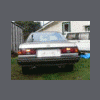
Please sign in to comment
You will be able to leave a comment after signing in
Sign In Now