June 18, 200817 yr Hey Gang, I've been here just outside of minneapolis working the hail catastrophe. Thought I'd say hi in case anyone wanted to hook up. Eric
June 18, 200817 yr crap. I was down there last weekend. if you have some free time, and want to head north and check out beautiful Duluth.....let me know. otherwise, if you're still around on Friday, you could stop in at the weekly MNSubaru hangout in St Paul on University Ave. map thread I won't be there, but you're sure to see some pretty high-hp subies (look for the white STi with the turbo in the bumper...)
June 18, 200817 yr Cool Eric, I am glad to hear you are around and hopefully doing well. Do some fishing while you are there.
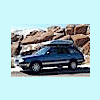
June 18, 200817 yr Cool Eric, I am glad to hear you are around and hopefully doing well. Do some fishing while you are there. I second that! Haven't heard or seen ya since we went for the 200k miles rollover trip...what's the Beefaru at now? Just to remind everyone just how impressive Eric's wagon is.....Here it is at the moment it rolled 200k! Oh and that's 200k miles since it had it's EJ22 with a VERY special 4.11 geared RX tranny swapped in...think it was lifted at that time too. Give me a ring or pm when you get back in town Eric. It's about time I saw you too Jerry...

Please sign in to comment
You will be able to leave a comment after signing in
Sign In Now