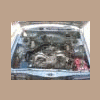
August 16, 200817 yr 97 legacy L wagon 2.2 auto pulling motor for service and i've got it lifted in the air hung up on the input shaft of the tranny for some reason. that's all that's left - the engine is free everywhere else: and a close up from the other side: the shaft slides in and out freely but doesn't want to come off of the tc. the engine doesn't have enough room to go further forward: i haven't been able to get that shaft dislodged from the torque converter but i haven't beat on it much. i've pulled tons of engines including four ej's and this is the first time i've had this issue. the tranny is leaking like mad and i'm beginning to think something is wrong here... i'm going to go unbolt the tc from the flexplate to get this thing done but seriously, wtf is up here?
August 16, 200817 yr Author i'm going to go unbolt the tc from the flexplate to get this thing done but seriously, wtf is up here? it took all of twenty minutes to see this was most likely a false alarm, but why would that sleeve come out like that - i've never seen that before.
August 28, 200817 yr I cant see any of these pictures you posted?? 97 legacy L wagon 2.2 auto pulling motor for service and i've got it lifted in the air hung up on the input shaft of the tranny for some reason. that's all that's left - the engine is free everywhere else: and a close up from the other side: the shaft slides in and out freely but doesn't want to come off of the tc. the engine doesn't have enough room to go further forward: i haven't been able to get that shaft dislodged from the torque converter but i haven't beat on it much. i've pulled tons of engines including four ej's and this is the first time i've had this issue. the tranny is leaking like mad and i'm beginning to think something is wrong here... i'm going to go unbolt the tc from the flexplate to get this thing done but seriously, wtf is up here?
August 28, 200817 yr With most Windows browsers at least, right-click on the red "X" or whatever replaces the pic, then click on "Properties", and among other info you should be able to see the URL from which the pics normally would be available. In this case it's "ultimatesubaru.org", so of course they'd usually be viewable. Unfortunately, I suspect they've been removed and replaced with the ones in http://www.ultimatesubaru.org/forum/showthread.php?t=91728 .
August 28, 200817 yr With most Windows browsers at least, right-click on the red "X" or whatever replaces the pic, then click on "Properties", and among other info you should be able to see the URL from which the pics normally would be available. In this case it's "ultimatesubaru.org", so of course they'd usually be viewable. Unfortunately, I suspect they've been removed and replaced with the ones in http://www.ultimatesubaru.org/forum/showthread.php?t=91728 . Nice try, but doing what you say is ye olde "page can not be found". There are no pics (which i already attempted anyway) nipper
August 28, 200817 yr They were there a few days ago. I guess once he got it figured out he took the photos down.
August 28, 200817 yr They were there a few days ago. I guess once he got it figured out he took the photos down. Thats mean. Now how are we suposed to pontificate for months over something that was already repaired? :-\
August 28, 200817 yr Author i apologize, i removed the pics cuz i thought i needed the space to upload the ones in the other thread as OB99W posted. its faster for me to do that than resize the pics especially since i eventually have to remove some to add more anyways. here's the three pics:
August 28, 200817 yr i use a free account from photobucket to post pics here. You just post the link and it shows up as a pic. i could never get the hang of posting pics here from my usmb album. nipper
August 28, 200817 yr I ran into the same problem(when removing TC, the shaft would come out with the TC). Thats why I did my search and found your thread, but without the pics. I later found out there is a C clip that holds the TC and shaft together. Looks like I have to install the shaft onto the TC before put them back in the trany??? Thanks again everyone!!! BTW, how to I post pictures here in the thread???
August 28, 200817 yr Nice try, but doing what you say is ye olde "page can not be found". There are no pics (which i already attempted anyway)I didn't say you'd find the pics that way. However, you should have been able to find "the URL from which the pics normally would be available", as I put it (if they hadn't been taken down). For example, you'd know that they weren't being hosted by Flickr, but rather here at USMB.
August 28, 200817 yr I didn't say you'd find the pics that way. However, you should have been able to find "the URL from which the pics normally would be available", as I put it (if they hadn't been taken down). For example, you'd know that they weren't being hosted by Flickr, but rather here at USMB. Its funny, some things i can make roll over and play dead. i can explaine how the AWD system, and other systems work, how cars are designed, how auto companies work, but :banghead: pics on USMB have me stumped. nipper
August 29, 200817 yr Its funny, some things i can make roll over and play dead. i can explaine how the AWD system, and other systems work, how cars are designed, how auto companies work, but :banghead: pics on USMB have me stumped. nipper Hey, it's okay -- I don't think anyone here can legitimately claim to be all-knowing.Besides, banging your head against a wall usually either gives you a headache and/or dents the wall.
August 29, 200817 yr Author Its funny, some things i can make roll over and play dead. i can explaine how the AWD system, and other systems work, how cars are designed, how auto companies work, but :banghead: pics on USMB have me stumped. nipper i had issues doing it until i got the hang of it. click the "Photos" link at the top right of any usmb page. on the page that appears, click the "Upload Photos" link a little lower in the upper right. from there, i just click on any "Browse..." button by the entry fields then find the image in the "Choose file" window that opens. once you've found it, click on the icon and click on the "Open" button or simply double click the icon. that places the pic's file location in the entry feild to be uploaded once you click the "Upload/Submit" button. you can put up to 8 entries in those fields, but if you have average to large jpeg's, i've found i usually have to do them 1 or 2 at a time for it to accept them. click "Upload/Submit" and it'll got to a page that says its processing then it automatically goes to the next page where you can see all the pics you have uploaded so far. to paste the pic in a thread posting, i open a tab/window for the post and another for the pic. when you get to where you want the pic in the post, click the little square icon in the row of tool icons that has grey mountains and sun and a yellow sky. if you have a good pop-up blocker your computer will have a banner come down from the toolbar asking you if you want to temporarily allow scripted windows and just click that option. otherwise you may have to manually turn off your pop-up blocker (from what i understand). if you click the icon and it opens the "Explorer User Prompt" window then you can skip this part. you now go back to the tab/window that has the pic (you may need to click the pic to get the largest version), right click it then select "Properties" from the bottom of the menu that appears. highlight the entire address of the pic from the "properties" window, right click and select "Copy" then click the "Okay" button to close that window. return to the tab/window where you've typed your post, click the picture icon (yellow sky, grey mountains) to reopen the "Explorer User Prompt" window if necessary. delete the http that's there and then right click and paste the address of the pic you just copied from the previous step. click the "Okay" button and the address of the pic will show up in your post with on the other. here's my sample pic (my boy, of course!): when you click the "Preview Post" button you can verify that the pic shows up and that it's where you want it.

Please sign in to comment
You will be able to leave a comment after signing in
Sign In Now