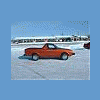
April 3, 200917 yr hey guy's . I have a 94 loyale wagon 4 wheel drive that I turned into a Brat and swapped the motor to a 2.2. my rear brake drums are worn out and new drums are 167.00 each .can I swap rear brakes from a 92 legacy. as there are some legacy's at my local auto wreckers no loyales.please help.thanks
April 3, 200917 yr not really, no. if you were swapping to 5-lug, you could use XT6 hubs, and then modify the legacy backing plates to mount to the loyale trailing arms, and then use the legacy rotors and calipers. but if you're staying 4-lug, just grab an EA82t rear disc setup. they usually sell here for much less than those new drums.
April 3, 200916 yr Author Thanks for the info. do you know if the front hubs of a loyale fit the back axle shafts .I have no problem in making brackets to mount the caliper.I have done some chevy disc brake on ford rear end for street rods in the past.
April 5, 200916 yr Hi, Last time I checked, I could buy new rear drums to fit your car, for about $50.00 ea. Rock Auto. Closeout. So that's much less than the price you got. Just putting out another option. Doug
April 11, 200916 yr Author hey guys I found a 1986 GL10 4 WHEEL drive,it has rear disc brakes.will these fit my 94 loyale .

Please sign in to comment
You will be able to leave a comment after signing in
Sign In Now