June 18, 200916 yr Too bad that I just found this post, I might have been able to solve it earlier. There was no "special" edition RX from Subaru, so if this had been an RX it would have had to have been a dealer special. The fact that there were no power windows would have had me thinking that is was not a RX. This car is rare because it was a dealer special, but not exactly high on the collectable list.
June 19, 200916 yr ok, but how do I get pics up on this site? theres photobucket like some one said but... check with your ISP aswell you might have available web space with your service. i know for a fact charter has 11 or 22 megs of webspace, it changed recently.
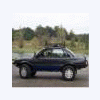
June 20, 200916 yr ok, here they are... http://i945.photobucket.com/albums/ad300/mcgus1/star%20edition%20sube/101_0358.jpg http://i945.photobucket.com/albums/ad300/mcgus1/star%20edition%20sube/101_0359.jpg http://i945.photobucket.com/albums/ad300/mcgus1/star%20edition%20sube/101_0360.jpg
June 20, 200916 yr ok, here they are... http://i945.photobucket.com/albums/ad300/mcgus1/star%20edition%20sube/101_0358.jpg http://i945.photobucket.com/albums/ad300/mcgus1/star%20edition%20sube/101_0359.jpg http://i945.photobucket.com/albums/ad300/mcgus1/star%20edition%20sube/101_0360.jpg Nice looker! It almost looks like a star wars edition :-p Oh, and if you want to make the pictures appear in your post You can type and then it'll show up like this! Cool huh? Twitch PS: Is that your yard?
June 21, 200916 yr If you happen to see the car again, find out what the dealer sticker on the back lid says. Maybe we can get some info from them on this edition. Usually they have some goodies added to the car then just some decals. I wish this was close to me, I would haul it home :-\ Oh yeah, find out what year it is also.
June 23, 200916 yr Don't think I'll be going to that yard ever again. Owner is a wahoo. But you can call him...Lon @ 800-452-4542 (hate even posting his # on this site)

Please sign in to comment
You will be able to leave a comment after signing in
Sign In Now