January 25, 200422 yr ok guys i warned u i`d be back,got my engine in and running fairly good today,took it out for a run and it wouldnt shift into 3rd gear till about 55,now i took this tranny(and engine)out of a 80 gl stationwagon,and it ran fine in there,but i couldnt get it to shift into 3rd any sooner than 55,now i switched vac,lines and checked the linkage,but to no avail.it still does the same thing and 1st and 2nd shift fine and right on time. any ideas? thnx once again for any and all help,and dont worry if i get this fixed ill be back cause the next thing is rebuilding the old 1.8 or putting a bigger engine and different trans next
January 25, 200422 yr A bit more description on what is prohibiting the shift would be helpful. Is it a resistance to go in caused by a bind in the shifting forks? Is the linkage loose and sloppy? Some moredetail would be helpful.
January 25, 200422 yr Since no mention of the type of transmission is mentioned, I will hazard a guess at a 3 speed automatic (i.e.3AT) This problem is well known and documented in Brian's USRM (Ultimate Subaru Repair Manual). This can be found by clicking on USRM.net seen at the top left of the main page. Here is a link to the repair of the offending part known as the shift "governor" Hope this helps http://www.usmb.net/repair/?CurrentDirectory=FOLDER_3f29b58f50d9b8.15492800/&FileType=Article&File=ARTICLE_3f57fdb83de231.34713659.art
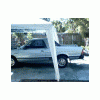
January 26, 200422 yr Author thank u all and yes it is a 3at 2wd auto-tranny in a 85 brat.and skip ur advice was very helpful cool no i can go on to the next problem

Please sign in to comment
You will be able to leave a comment after signing in
Sign In Now