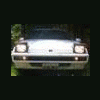
August 14, 200916 yr well, Redcap came over to visit me today and helped me start my trailer project.. after Aaron got his fill of spare parts we cleaned it out till it was a shell. We start by cutting the car in half. then we rolled the shell onto its side. installed a 2WD rear end. after we put some wheels on it and Redcap took off, I put a 4x4 post and tied it on to make it tow-able.. I'm not done with it, and still needs a bit more work.. mainly in the closing it in part.. anyone elce want to help? will keep posting pics as the project continues
August 14, 200916 yr Neat project. I saw something similar made out of an early 80's tercel hatchback, the other day. I'm not sure what your intentions are, as far as hauling, but i would seal it off about 6 inches from the wheel well. Would be a perfect size for camping stuffs, firewood, etc., without being too long.
August 14, 200916 yr Author hah yeah, im going to make it into a toolbox/bed/spare wheel carrier for when I go offroading or on long trips.

Please sign in to comment
You will be able to leave a comment after signing in
Sign In Now