Leaderboard
-
GeneralDisorder
Members1Points23391Posts -
1 Lucky Texan
Members1Points10144Posts -
83subaruGLchick
Members1Points143Posts -
UnorganizedMechanic
Members1Points65Posts




Popular Content
Showing content with the highest reputation on 09/21/20 in Posts
-
That engine needed synthetic from day one. The use of non-synthetic has plugged up the oil control rings. There is no fix for this but to replace the rings and clean out the piston skirt drain back holes behind the oil control rings. GD1 point
-
1 pointDid a YouTube might start regularly posting to it if it gets enough attention and people enjoy it!1 point
-
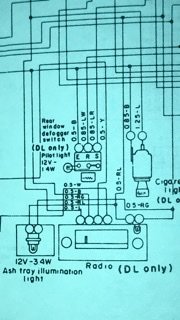
I own the service manuals. Every wiring diagram does not match the color codes I have in my hand. I have three separate factory guides as well as the 81 parts guide. Out of the 15 wiring diagrams I have, none match the radio colors. i have it plugged in. No response. The radio could be a dud, I just want to make sure I have it wired correctly. L - Blue RL - Red-Blue RG - Red-Green B - Black W - White
 1 point
 -
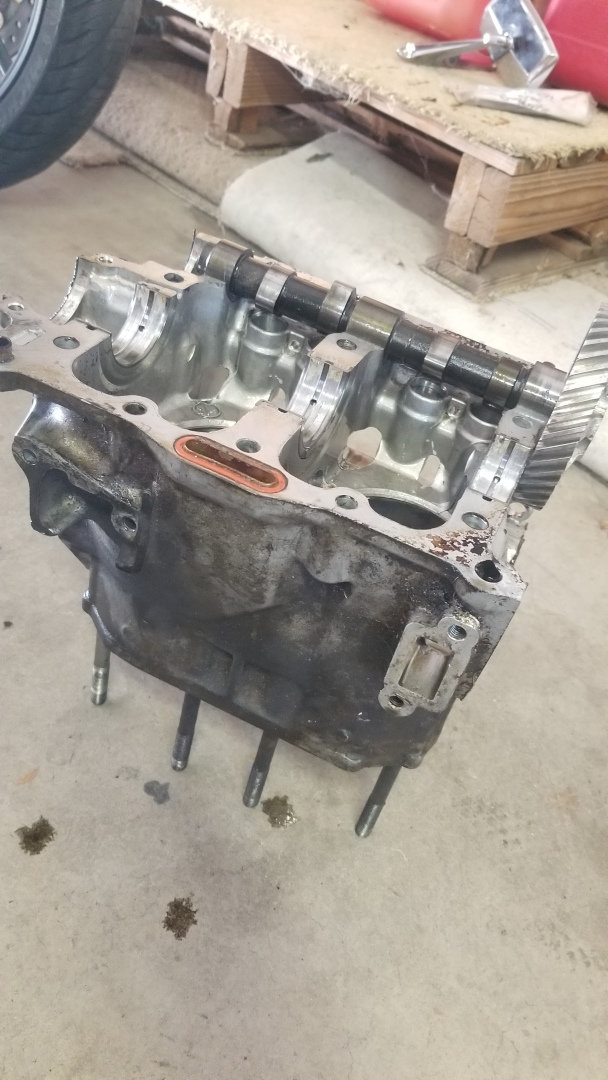
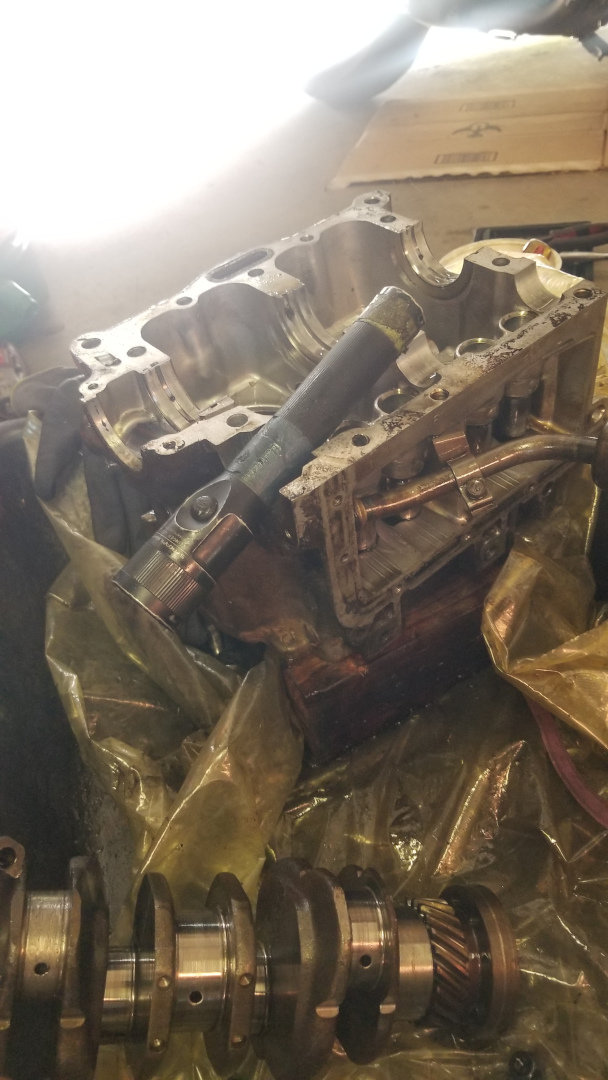
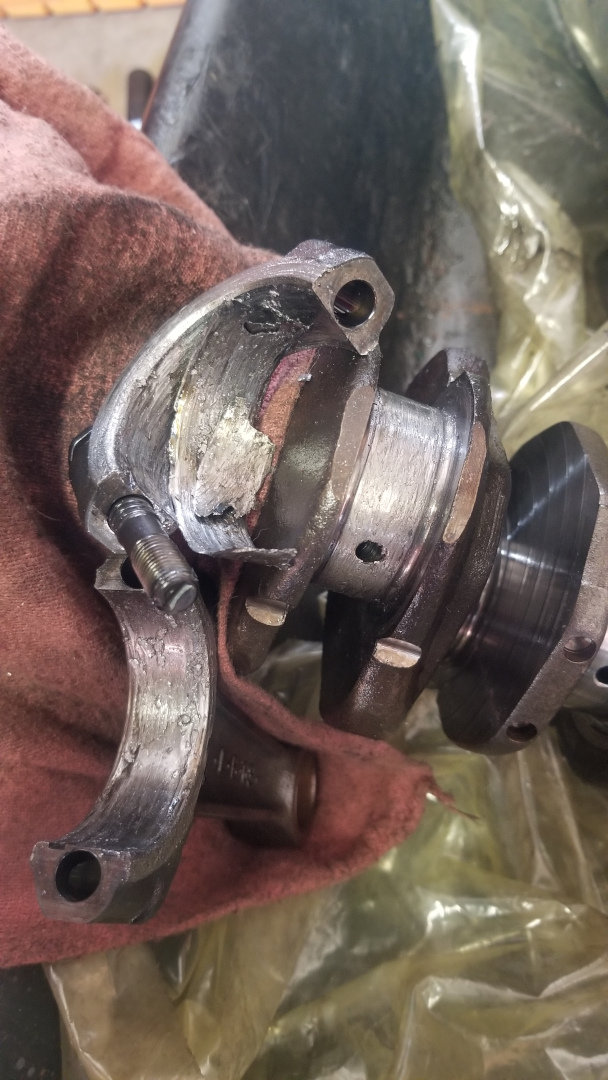
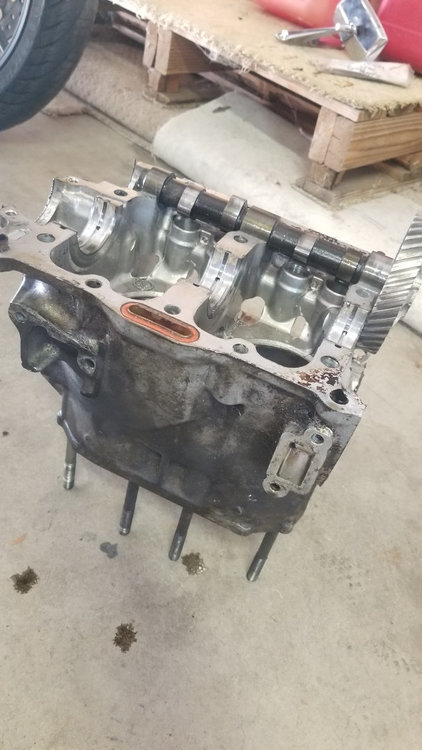
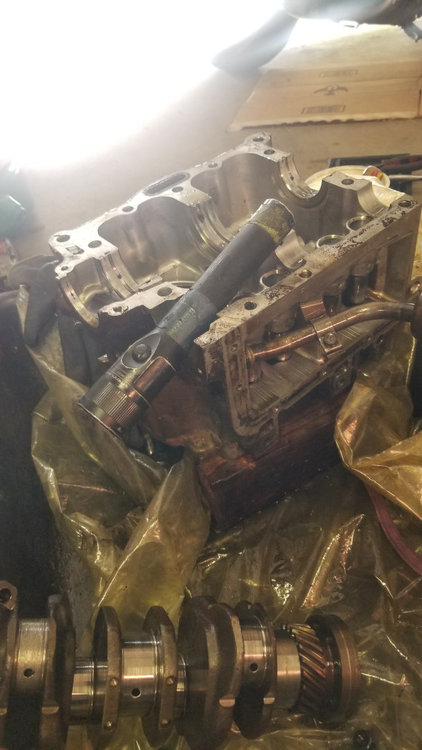
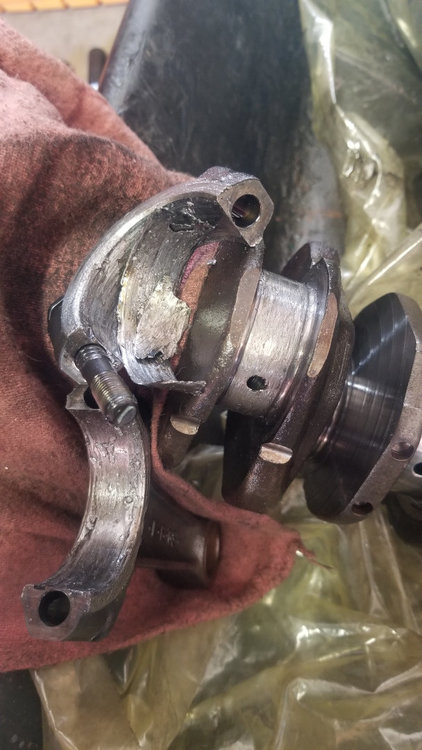
I ended up finding a nice fellow locally who sold me a used block. Unfortunately it had a rod knock, but the rest of the block is pristine. Good people out there, or just luck. But I'm going to use pieces from both to make one good one. Cannibalize and modify is my motto. Luckily it's the con rod, not the main. Time to check clearances. Up, up, and away!!!
 1 point
 -
1 pointyeah, read 2-3 times of folks using WindoWeld to make/repair bushings - even 1 or 2 youtube vids on that I think.1 point