
Leaderboard


Popular Content
Showing content with the highest reputation on 04/23/21 in all areas
-
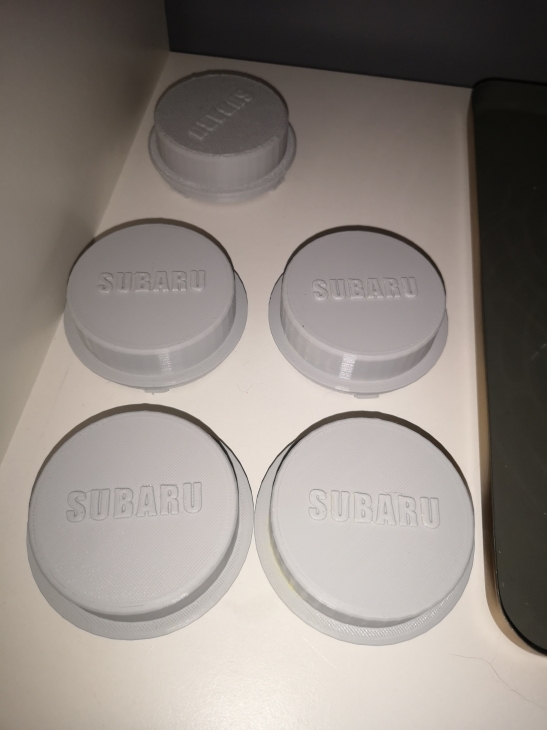
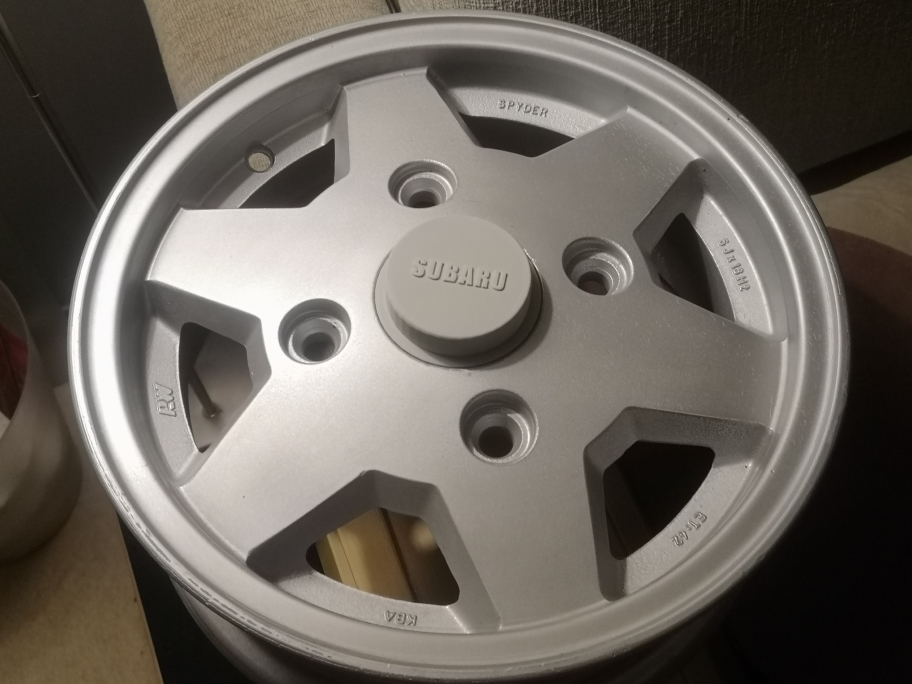
I did a thing with my 3D printer. have had these wheels for years without the center caps and decided that it's time to do them now:
 1 point
 -
Oh man el_freddo you just reminded me I've got an old iPod. I'll have to dig that up and keep it in the car now. I spliced 12v power off the light for the ash tray, which I really don't use. The inputs and outputs off the box after connecting power are super plug and play. The box has RCA left and right stereo inputs (which I attached a RCA to 1/8" aux cord to). It has a cord to plug your antennae into, and it has an output antennae cord that goes into the factory stereo. The box came with its own on/off switch as a wire on the 12v power line. I cut off the box's power switch and attached it to this toggle switch that already existed by my steering wheel. Shopping for wireless coils now and it looks very promising.1 point
-
1 pointUpdate. Thank you to Lucky Texan, it was indeed in the vent line. There was a crack in the hose at the barb fitting. Cut it out and all is good. Thanks again. Who wouda thunk it?1 point