
Leaderboard
-
pontoontodd
Members1Points2618Posts -
pooooobaru
Members1Points8Posts

Popular Content
Showing content with the highest reputation on 05/06/24 in all areas
-
Thanks, glad you're enjoying it. For the first eight(ish) years of this thread they're all just saved on my personal website. The last couple years USMB hasn't been conveniently linking to them so I just upload them to the general gallery. As long as they're under 240kb it seems like you can upload as many as you want.1 point
-
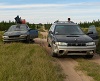
Thought I'd just add an update to this post. Here is a newer pic of our ol' battlewagon, and a little video I put together on the car! Thanks again for the help here. Video: Looking back it's pretty dumb that we were going to have a shop do the install since it was so easy! They did a fine job on a bunch of other work they did but apparently don't know anything about lifting Subarus1 point