
Skip to content
View in the app

A better way to browse. Learn more.

Ultimate Subaru Message Board

A full-screen app on your home screen with push notifications, badges and more.

To install this app on iOS and iPadOS
  1. Tap the Share icon in Safari
  2. Scroll the menu and tap Add to Home Screen.
  3. Tap Add in the top-right corner.
To install this app on Android
  1. Tap the 3-dot menu (⋮) in the top-right corner of the browser.
  2. Tap Add to Home screen or Install app.
  3. Confirm by tapping Install.

Leaderboard

Popular Content

Showing content with the highest reputation on 08/16/25 in all areas

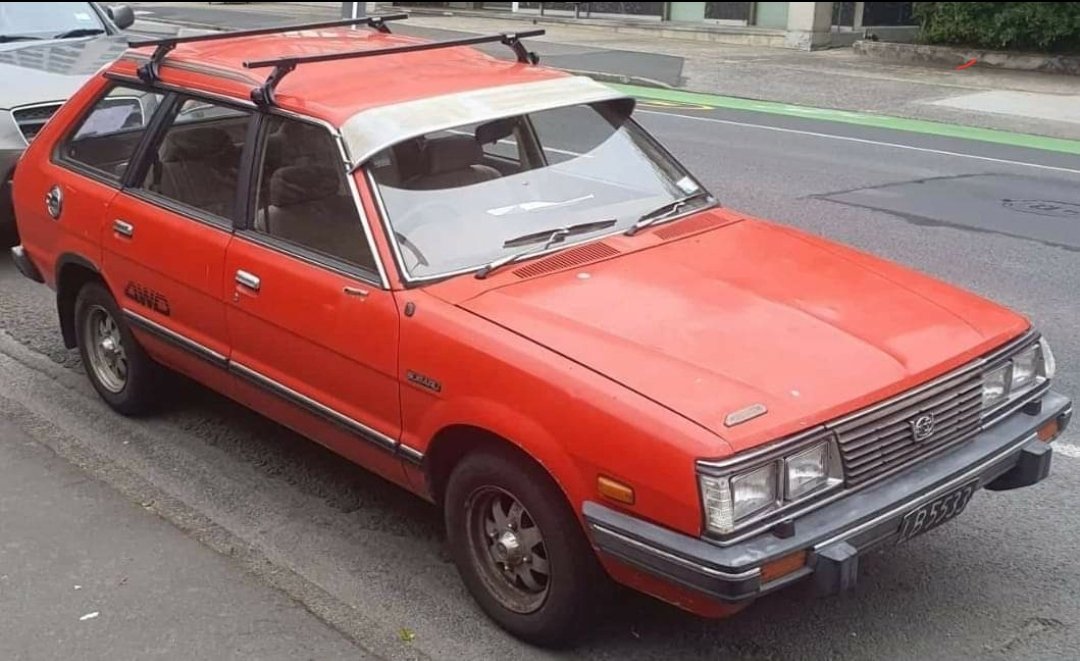
  1. Leone’s 1979 Subaru Leone wagon discussion - Project Discussion - oldschool.co.nz Here is a thread of where im at, it's pretty slow going right now, so much rust to cutout and replace, and as i haven't done a build quite like it I'm taking my time, Have a professional panel beater on hand for the tricky stuff so no I'm mainly drilling spot welds and attempting some fabrication of patches and panels (that wont be seen)
  2. I know that feeling. I have an EJ turbo conversion on the go for the last four years. I’ve barely touched it in the last year. It’ll get there. Cheers Bennie

Account

Navigation

Search

Search

Configure browser push notifications

Chrome (Android)
  1. Tap the lock icon next to the address bar.
  2. Tap Permissions → Notifications.
  3. Adjust your preference.
Chrome (Desktop)
  1. Click the padlock icon in the address bar.
  2. Select Site settings.
  3. Find Notifications and adjust your preference.