renillo
Members
-
Joined
-
Last visited
Everything posted by renillo
-
Amazing build Scalman !!!
-
-
renillo replied to 211's topic in 1990 to Present Legacy, Impreza, Outback, Forester, Baja, WRX&WrxSTI, SVXHi ! I just started having slipage issues ... , so bad clutch. Can someone recommend me one? http://amzn.to/2iXQFqb http://amzn.to/2iBU0yK http://amzn.to/2iBPKiO My Leggy is a 1996 GL 2.0 SOHC Cheers!!
-
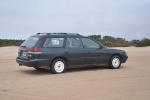
Hi guys! My subie needs a clutch replacement and I will do it myself. .... so I NEED YOUR ADVICE ! What clutch do you recommend? http://amzn.to/2iXQFqb http://amzn.to/2iBU0yK http://amzn.to/2iBPKiO Thanks for the help!! I will post pictures of how I did the clutch replacement. Hope it will help you later! My Leggy is a 1996 GL 2.0 SOHC Wagon Cheers, Fran
-
renillo replied to renillo's topic in 1990 to Present Legacy, Impreza, Outback, Forester, Baja, WRX&WrxSTI, SVXI need to be at 3500 rpms in 5th to run at 75mph. We have different gear relations. That's a good speed. I live in Argentina and in my country is legal to cruise at 81mph, but i dont know if 8 hours at that speed would stressfull to my legacy. Thanks for the post !
-
Guys, I have a 96 subaru legacy 2.0 sw (with 132000mi) and i'm going to do my first long trip (8hs aprox). I was wondering, at what speed do you cruise with your legacy ?? Cheers, Fran.
-
renillo replied to lhrocker's topic in 1990 to Present Legacy, Impreza, Outback, Forester, Baja, WRX&WrxSTI, SVXHi ! I have a 97 legacy sw and y have de tweeter+speaker version. Do you know the depth of the speakers ? I'm affraid that when I change them the will touch the window.