
cricket
Members
-
Joined
-
Last visited
-
I tried with a slim jim but so far no luck. IWhat's the trick? It's a 78 coupe. Both doors are locked all windows are up and latched.
-
Recent additions. Undergoing restoration.
-
cricket changed their profile photo
-
Need a fuel tank and radiator for a 1978 DL Front Wheel Drive. Thanks
-
very very nice!
-
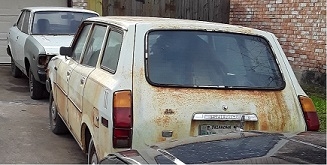
any clue as to how much rust this wagon has?
-
...this is the one that was advertised on craigslist Austin TX. I had already worked out a deal with the seller, now he's awol. Haven't heard from, doesn't respond to my email. Real bummer. I was looking forward to a Subaru in my garage, again.
-
I'll try to hold on to this one, pretty unique. I've emailed back in forth with the new owner of the woody wagon, as recently as a month or two back. They still have it, and they do not want to sell it. I thought I'd ask. Oh well!
-
Okay, I'll keep both of you in mind. Thanks!
-
I'm bringing this 1979 FE Coupe from Austin to Spring TX for a bit of resurrection. I'll need parts, so please if you have FE parts don't throw them out! Ennio http://www.ultimatesubaru.org/photos/showgallery.php?cat=500&ppuser=673
-
1300 1400 and 1600 only.
-
anyone need 72 - 79 parts lists/crash sheets...? (except BRAT).
-
Well, actually it looks more like my wagon!!! I'm curious, was this a rattle can job? Anyhow, it looks much better then before.
-
cricket replied to 3Pin's topic in 1990 to Present Legacy, Impreza, Outback, Forester, Baja, WRX&WrxSTI, SVXBuy another 98 Forester and keep this one for parts.
-
SHIFT: CLEAR YOU PM INBOX. Thanks, Ennio
-
Anyone know if the CVT is really a bad deal? How hard is it to repair a CVT and keep it running? Thanks, Ennio

