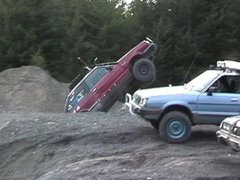
December 7, 200916 yr Author Whose wagon is this? Very nice. Looks like a lot of fun up there. That belongs to Jesse(jbbvw) A friend of mine. It does quite well.
December 7, 200916 yr Looks like y'all had a great time! Sorry to have missed it, but I'll be there for sure next year.
December 7, 200916 yr wait what happened to Rob's RX While doing my donuts my old sloshed real bad and it puked out all over the engine and engine compartment. I went to a car wash today to pressure wash everything and the place was closed...........it was all frozen up
December 8, 200916 yr Awesome event guys, thanks to all who help put this together Hopefully next year i will have more clearance or maybe a different subie (brat?!?) here are a few pictures of myself and the small group that i went up with later that day http://picasaweb.google.com/fenix747/HatchPatrolXmassTreeRun2009?feat=directlink
December 9, 200916 yr Glad you could make it, thanks for coming. I think I've finally thawed out now :-p
December 9, 200916 yr I had a ton of fun. I'm really glad I was able to make it up. Props to the guys who stopped playing to get the rescue started for those who were stranded on the other side of the hills. I wish I could have stuck around longer for more 'spirited driving' as QMan called it, but my lady wasn't too happy with the weather or the driving...next year she stays at home! Everyone was so hospitable and nice, Eriksport's cobbler was awesome and it was really cool to put some faces to some names. Thanks again to everybody who made this happen!!

Please sign in to comment
You will be able to leave a comment after signing in
Sign In Now