March 12, 201016 yr http://cgi.ebay.com/ebaymotors/ws/eBayISAPI.dll?ViewItem&item=140389936547&viewitem=
March 12, 201016 yr I THOUGHT IT WAS FUNNY THE GUY MENTIONED THAT A DENT WAS FIXED....HOW ABOUT THE GAPING HOLES AT THE BOTTOM!!! I GUESS OUT OF SIGHT OUT OF MIND....
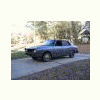
March 13, 201016 yr There is no way that car has just 22K on it. Look at the rust, the worn carpet, the engine compartment. That's not rust from sitting, that's rust fromm 100K of road miles! It's most likely 122K. That's still low, but far more than represented.
March 14, 201016 yr I much prefer this! http://cgi.ebay.com/ebaymotors/1970-subaru-360_W0QQitemZ270542635781QQcmdZViewItemQQptZUS_Cars_Trucks?hash=item3efd990305
March 14, 201016 yr you guys keep knocking the best cars we got in the midwest salt belt. My Employments work truck is a 2006? dodge with only 6,000 miles on it and it has rusted quarter panels. It happens with low mileage cars here, if they EVER were driven in the winter time. I believe the miles are accurate. Fact is, this car was driven in a winter climate, and this is what happens. It is too bad this is what happens
March 14, 201016 yr I won't base my opinion based on the miles alone, but the motor is FILTHY for only 20,000 miles. I have a 2006 Nissan Murano that is driven in the snow every day, has 20,000 miles and the motor is so clean you could just about eat off it. A 20,000 mile engine (any year) shouldn't be covered in oil (including the valve covers) to the point that you can't even tell what color they are. To me, the only thing that looks like a 20,000 mile car is the drivers seat, there isn't noticeable wear on it......then again, how about some really high quality, clear pictures if you want to sell something! my 2 cents

Please sign in to comment
You will be able to leave a comment after signing in
Sign In Now