Skip to content
View in the app

A better way to browse. Learn more.

Ultimate Subaru Message Board

A full-screen app on your home screen with push notifications, badges and more.

To install this app on iOS and iPadOS
  1. Tap the Share icon in Safari
  2. Scroll the menu and tap Add to Home Screen.
  3. Tap Add in the top-right corner.
To install this app on Android
  1. Tap the 3-dot menu (⋮) in the top-right corner of the browser.
  2. Tap Add to Home screen or Install app.
  3. Confirm by tapping Install.

Bringing home a new one...

Featured Replies

There are a couple EA81 wagons at P&P on Foster, I was there Wednesday.

  • Replies 79
  • Views 8.5k
  • Created
  • Last Reply

Top Posters In This Topic

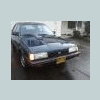
Gorgeous!


If you are interested, I have the under-radio cassette player with beige housing, if it would work in that car (then you could get a MP3 player adapter and not have to cut a modern radio in there).


Just a thought. Gorgeous car.

  • Author

Thank you James :)


Any news on your 84 GL yet? I wanna resolve this, I feel quite bad.

No worries at all. I use satellite radio if I have to drive any distance anyway, and my dash is blue, to boot.


I don't know what there is to do about the distro but carry on. With any luck at all, someone will need a Hitachi distro, and we'll be apples.

  • Author

I figured they were the same since they were both the same year, model and style, but I hope someone does need one.

Please sign in to comment

You will be able to leave a comment after signing in

Sign In Now

Account

Navigation

Search

Search

Configure browser push notifications

Chrome (Android)
  1. Tap the lock icon next to the address bar.
  2. Tap Permissions → Notifications.
  3. Adjust your preference.
Chrome (Desktop)
  1. Click the padlock icon in the address bar.
  2. Select Site settings.
  3. Find Notifications and adjust your preference.