Skip to content
View in the app

A better way to browse. Learn more.

Ultimate Subaru Message Board

A full-screen app on your home screen with push notifications, badges and more.

To install this app on iOS and iPadOS
  1. Tap the Share icon in Safari
  2. Scroll the menu and tap Add to Home Screen.
  3. Tap Add in the top-right corner.
To install this app on Android
  1. Tap the 3-dot menu (⋮) in the top-right corner of the browser.
  2. Tap Add to Home screen or Install app.
  3. Confirm by tapping Install.

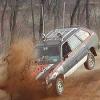
So who would build the NEXT trashwagon?

Featured Replies

to nice , needs more rust , different color fenders , i have 88 gl 4wd manual wagon that could be a trashwagon very easy , buy hey it will make a good work car :banana: :banana:

  • Author

well since you built your car how you want it, and if that bumper is for running over trashcans, i would say its trashwagon material

yer gettin there brian... is that line-x photoshopped onto the bottom of your car?? :D Looks like a good plan. My car has different color panels, its got one white on with blue pinstripes, one silver one, a white hood with grease stains, and a white hatch. The car has a maroon/burgundy original color (which I absolutely loathe and am trying to remove with bush scratches) and grey interior.

  • 4 weeks later...

Please sign in to comment

You will be able to leave a comment after signing in

Sign In Now

Account

Navigation

Search

Search

Configure browser push notifications

Chrome (Android)
  1. Tap the lock icon next to the address bar.
  2. Tap Permissions → Notifications.
  3. Adjust your preference.
Chrome (Desktop)
  1. Click the padlock icon in the address bar.
  2. Select Site settings.
  3. Find Notifications and adjust your preference.