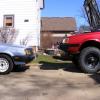
April 17, 201213 yr I ran across this picture of a JDM Sedan, and noticed it has a little accent bar on top of the bumper. Does anyone have one of these? I bet its a super rare JDM part, but figured I would post it up and see what I get.
April 17, 201213 yr The skid plate is kind of cool looking as well, coming all the way up flush with the bumper. If you can't find it on ebay, this look could probably be reproduced with Boat style handles found at nautical shops. Would probably be cheaper too. I would go with a traditional "A" style pushbar instead of this to be honest, that little bar isn't going to protect very much.
April 17, 201213 yr Author Ah, I didn't think of boat grab bars! That might work. Lol, even the Push bar isn't going to stop much, these cars aren't made to take a hit. The little chrome bar would only be for looks Plus I don't plan on hitting anything or one. I do like that skid plate as well, and the Factory Fogs (Which I found a set on Ebay) but they are in Jpn. Are those also Blinker indicators on top of the fenders!? Also has Headlight washers? I want this Saloon!
April 17, 201213 yr The US was the only market that got the running lights in the plastic bumper sides, everywhere else got them on the fender. Same thing with the headlight washers, an option everywhere else but here.
April 18, 201213 yr Author Indeed, ebay has everything. I just bought one! The 18" version is what you'll want to match the photo. http://www.ebay.com/itm/320874574639?ssPageName=STRK:MEWNX:IT&_trksid=p3984.m1439.l2649#ht_3695wt_821

Please sign in to comment
You will be able to leave a comment after signing in
Sign In Now