August 6, 201312 yr I was at a junk yard and found a factory auxiliary light switch on an EA82. Apparently it (switch) fills the slot to the lower left of the steering wheel. I've never seen that before. The front clip of the car was gone, so I couldn't see what it would have went to. Does anyone have a picture of a factory optioned fog light/aux light/driving light on an EA82?
August 7, 201312 yr For these maybe? I have no further information other than the link and that I have seen these lights mentioned on the forum before. http://www.mttechsuba.com/used-subaru-loyale-parts/1985-1994-loyale/2267676
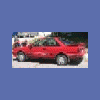
August 7, 201312 yr Here's a sweet picture of my '85 with those fog lights (I think they were likely a dealer-installed part, as the wiring was not integrated within the main harness). The lights themselves were junk, and never even made the trip home (that pic was from the for sale ad), but I used the switch and wiring with some aftermarket lights for some time after that, and then on a couple other subarus.
August 8, 201312 yr Author I'll be darned, that must be it - a dealer option. Funny they just hang out there, thanks guys!
August 8, 201312 yr https://sphotos-b-sea.xx.fbcdn.net/hphotos-frc3/421424_10200752270792262_1837046744_n.jpg heres Whitey, our 86 wagon, i have every receipt from when it came off the boat in SanFran in 85 til 2008. Its a dealer option
August 8, 201312 yr They also came with plastic covers with the subaru logo. I have a set but missing one of the covers.
August 10, 201312 yr Author Yeah, I was thinking the covers would be pretty hard to find after 20+ years... thanks for the pic Subruise.

Please sign in to comment
You will be able to leave a comment after signing in
Sign In Now