December 1, 201312 yr Hey there fellow subaru lovers. ive recently started a fan page on facebook for Old Gen subarus. (it says NW but honestly we love em all!) im not really trying to post to get more likes as much as i am looking for great Old gen subaru pictures. I see amazing ones day in and day out on here and i want to use them all but i would also like to give credit to those who have made it great. i ve added a few that i absolutely couldnt help myself but id like to get more! anyone who would like to have their old gen subarus plastered on the internet with us all drooling over it either add them on this thread. send them to my email ( elliottdevon@ymail.com ) And Or go and put it on the page and like the page. https://www.facebook.com/nwoldgensubarus ALSO we have been trying to get together a meet for Old Gens in the nw most likely in the oregon area. we have a separate thread on here if you are interested. but we will likely be adding it as an event on the facebook. http://www.ultimatesubaru.org/forum/topic/142570-like-to-get-an-old-gen-meet-going-in-the-oregon-area/ Thanks all! hope to hear from you soon!
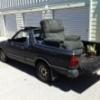
December 1, 201312 yr Did you look on fb to see if there was a old gen page yet? Because there is - https://www.facebook.com/groups/55757792531/ Granted, its to all areas but I think the majority of the members are from the PNW. And I see I'm in the photo section, not sure how I feel about that seeing how I dont own it any more.
December 2, 201312 yr Author More the better i would think. id deff add them though. and i can take it down if you really want, just a sweet ride. seriously.
December 2, 201312 yr Author also seems as though that is a group as apposed to a fan page. i dont really see much of a diff besides you have to request to be apart the group instead of just liking the page. just my what i see though. seems like a solid group and activity.

Please sign in to comment
You will be able to leave a comment after signing in
Sign In Now