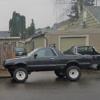
May 20, 201411 yr So installed some really nice speakers into my brat door, everything was sounding good, until I shut the door and my speakers basically embedded into my seat. DAMN YOU SOOB GODS I screamed WHY WOULD YOU DESIGN A SWEET CAR(truck?) LIKE THIS. Anyway after that I started looking for somewhere to mount the rest of my speakers and we just so happened to have the technology to mount them inside of the center dash directly below the stereo Edited May 20, 201411 yr by sumoco
May 21, 201411 yr You know the lower pieces of the door panel are reversible so you can switch the door pocket and flat panel locations moving your speaker to the front of the door. I believe you still have to cut a hole in the door itself for the speaker though which is why I left mine alone. It's been done by a few members.
May 21, 201411 yr This is what I ended up with : More on procedure here : http://www.ausubaru.com/forum/showthread.php?t=23077 Cheers, Bantum ...
May 22, 201411 yr I put new 4x6 speakers in the dash. Kinda easy. What year is your Brat (as in Gen 1 or Gen 2)? My Gen 1 has a hole for one. I've always been curious as to if a second speaker could be hacked up into it. Also, could you post a picture? Thanks. Edited May 22, 201411 yr by bendecker
May 23, 201411 yr Mine had only a place for one speaker behind the glovebox. Got the idea from the later brats that there was a speaker behind the coin holder just to the left of the steering wheel. I made an H frame from some slotted metal I picked up at lowes in the nuts and bolts section, and squeezed a 4" speaker in there ;-)

Please sign in to comment
You will be able to leave a comment after signing in
Sign In Now