Skip to content
View in the app

A better way to browse. Learn more.

Ultimate Subaru Message Board

A full-screen app on your home screen with push notifications, badges and more.

To install this app on iOS and iPadOS
  1. Tap the Share icon in Safari
  2. Scroll the menu and tap Add to Home Screen.
  3. Tap Add in the top-right corner.
To install this app on Android
  1. Tap the 3-dot menu (⋮) in the top-right corner of the browser.
  2. Tap Add to Home screen or Install app.
  3. Confirm by tapping Install.

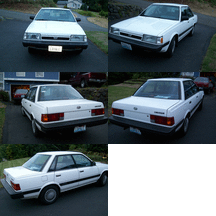
Uno - My First

Featured Replies

  • Replies 56
  • Views 14.8k
  • Created
  • Last Reply

Top Posters In This Topic

Most Popular Posts

  • MR_Loyale
    MR_Loyale

    After spending Monday evening prepping the engine, the last thing I did was set the timing belts and then the distributor. Tuesday morning I had to prep, clean and paint a corroded battery holder as w

  • Here is a top shot of the finished engine.  

  • Well I finally did it. I created the Mr Loyale youtube chanel to document my Loyale repairs.    

Posted Images

  • 5 months later...
  • 1 month later...

So this build/ride thread has become an advertising ground for your YouTube channel? 

Bummer. 

  • 1 month later...
  • Author
On 8/26/2019 at 1:17 AM, el_freddo said:

So this build/ride thread has become an advertising ground for your YouTube channel? 

Bummer. 

Nothing has really broken on the UNO. I still daily drive it and am closing in on 200,000 original miles. But I still incorporate it into my activities, my main one being paramotoring. In a review on a cool electric folding paramotor, I wanted to animate it something akin to an Ironman suiting up scene but copying the sounds used in the movie would be a no no (and youtube copyright strike).  I decide to use the sound of the automatic seatbelts in UNO in the clip. See if you can regonize the sound. It is in the beginning so if you absolutely hate paramotoring, flying and adventures in the air, you can quickly shut off the screen. :)


  • 3 months later...

Please sign in to comment

You will be able to leave a comment after signing in

Sign In Now

Account

Navigation

Search

Search

Configure browser push notifications

Chrome (Android)
  1. Tap the lock icon next to the address bar.
  2. Tap Permissions → Notifications.
  3. Adjust your preference.
Chrome (Desktop)
  1. Click the padlock icon in the address bar.
  2. Select Site settings.
  3. Find Notifications and adjust your preference.