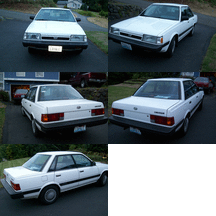
January 22, 201610 yr While driving home tonight my driver side cv blew. Car is 92 Loyale sedan 4wd. Any caveats I should know about changing these? Different splines etc ? O'Reilly is ok for these? This is my daily so I need to do the job Sat.
January 22, 201610 yr Parts geek seems to have the best price. I think the shaft has a $15 core, maybe a bit more. As for pulling the shaft its pretty straight forward. You'll probably need a puller for the brake side and the tranny side is a roll pin. O'reillys' have them in stock here in Wasilla. They looked like they'd work out pretty good. The core is $20 if I remember.
January 22, 201610 yr And as to the roll pin... an oldtimer 30 yr subaru mechanic that did my clutch a few years ago told me that the spline may not allow you to line up the hole so ya have try it the other way before ya smash k it in there.. I grinned and to him I tried and that's why I left something to grab next time i change it out.. he said oh reman cv joint with an opposite grin.. it was a funny conversation...
January 22, 201610 yr For some variations of gl / loyale there were different splines, so it's good to check. The inside end only lines up for the pin in one position. The pin should not require heavy hammering to go in. Do not use a punch that is too small to drive the pin out. I use a steel gutter nail with the point cut off flat.

Please sign in to comment
You will be able to leave a comment after signing in
Sign In Now