December 2, 20169 yr I recently smashed my front bumper and need ideas for a new one. Post some pics of your custom bumpers for inspiration. My 1980 gl Edited December 2, 20169 yr by Rallyru
December 12, 20169 yr http://www.sjrlift.com/images/stories/virtuemart/product/bumper%20ea82%20front%20sjr.jpg http://www.sjrlift.com/images/stories/virtuemart/product/bumper%20ea82%20corner%20sjr.jpg Edited December 12, 20169 yr by Scott in Bellingham
December 12, 20169 yr Not an older Subaru like you guys have (I like those better personally), but here's my 00 OBW. I just cut all the excess off and made a small plate to protect the exposed wires and coolant lines.
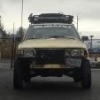
December 14, 20169 yr Here's an old pic of mine when it was still pretty new and straight.Jesse Edited December 15, 20169 yr by jbbvw

Please sign in to comment
You will be able to leave a comment after signing in
Sign In Now