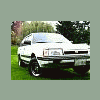
March 19, 200620 yr Well i got my engine block in. Wait here is a little bit of info. 87' Subaru wagon Ea-82 carbed Ok well i needed a new motor so i got one. With the help of some friends i got the block in the car, now i gotta hook everythin up and well i have ran out of people willing to help me on this awesome saturday. So far i have put the intake on, starter and radiator. I am still learning about cars and what not so i have never done anything like this before. So i really need help cause it has to be running tonight. Or at the latest tomorrow night. But would be sooooooooo awesome if i could drive it tonight. PLEASE help! If you live in the portland area call me. (360)513-8905 I will give you more details and how to get here. thanks, dan the man
March 19, 200620 yr Well... Try This: http://www.sendspace.com/file/j4klee There is the Gregory´s Service Manual, Hope it can Help...
March 19, 200620 yr Crap dude - got called into work, and forgot my personal phone at home. I see you called a bunch of times. Was going to call you (from Eugene!) but of course your number is in my 870, and all I grabbed was my work phone. We had a price increase, and everything is going nuts - had to re-measure a bunch of houses and a duplex in Salem and Eugene today. I just got home (9:00 PM). Boy how I wish I wasn't salery.... Where is Kenny? GD
Please sign in to comment
You will be able to leave a comment after signing in
Sign In Now