July 19, 200619 yr Heh, it looks like you had the same idea as me for the fender flares. Those pics werent taken in Pasco I presume? I think we need to get some pics of our rigs together:brow:
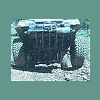
July 20, 200619 yr Author holy crap dude, that thing is awsome, whats you're lift consist of? Its all subaru!!!!!!!!! Just put all the parts in the rite places!
July 20, 200619 yr Author Heh, it looks like you had the same idea as me for the fender flares.Those pics werent taken in Pasco I presume? I think we need to get some pics of our rigs together:brow: The second weekend in aug would be a nice time for prowling in the cascades! shoe string?
July 20, 200619 yr what kind of motor u got in there? and if its all subaru, no divorced t case? hows that do offroad?? I gotta ask, what size tires are those, its super mean looking
July 20, 200619 yr dude... more pics. I've got a line on an '85 EA82 I may be able to trade my half-baked 83 for... I want an idea of what I'm gonna do. Your suby is exactly what I've been tryin for, if not, yours is smaller than what I wanna do. Extremely awesome, but some pics of the fabbing? Mebbe?
July 20, 200619 yr 4th week of August is the big West Coast Subaru Show! BE THERE!!! http://www.westcoastsubarushow.com -Brian

Please sign in to comment
You will be able to leave a comment after signing in
Sign In Now