Skip to content
View in the app

A better way to browse. Learn more.

Ultimate Subaru Message Board

A full-screen app on your home screen with push notifications, badges and more.

To install this app on iOS and iPadOS
  1. Tap the Share icon in Safari
  2. Scroll the menu and tap Add to Home Screen.
  3. Tap Add in the top-right corner.
To install this app on Android
  1. Tap the 3-dot menu (⋮) in the top-right corner of the browser.
  2. Tap Add to Home screen or Install app.
  3. Confirm by tapping Install.

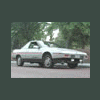
Don't look now, but there's a 78 2door sedan on ebay

Featured Replies

could you imagine one of those things with 400bhp???? :slobber: I wish!

  • 2 months later...

That's a really nice car. I can't believe it only got bid up to $1,275. It's sad that very few people will spend any money when it comes to the less popular economy cars. Datsun B210's and 210's don't bring much money either, even if they're mint. :(


I guess in a way that's good for us though. :)

Actually, I think it sold for MUCH more than the ebay price. (It's worth far more than $1300). Bryan ended it early and sold directly to a collector.


Todd

Please sign in to comment

You will be able to leave a comment after signing in

Sign In Now

Account

Navigation

Search

Search

Configure browser push notifications

Chrome (Android)
  1. Tap the lock icon next to the address bar.
  2. Tap Permissions → Notifications.
  3. Adjust your preference.
Chrome (Desktop)
  1. Click the padlock icon in the address bar.
  2. Select Site settings.
  3. Find Notifications and adjust your preference.