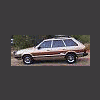
November 2, 200619 yr Just went to my local u pull it. They never have anything normally but sometimesa a surprise. A Subaru special (looked kinda like a fiat!) A 73 DL Sedan with all the interior intact, a Vortex with an EA81 and SPFi, and a EA82 touring wagon with MPFI. I guess besides just interest (esp the special). It pays to visit the yards regularly to see what they got.
November 2, 200619 yr Could you maybe get a pic of the EA81 that's got SPFI? I would love to see how that's setup... Also - what do you suppose they would charge for the ECU from it? All our "vortex's" were EA82's. Any idea how the EA81 SPFI was rated for HP and such? Sorry for the 20 questions, but in the US there really isn't much information on this stuff. GD
November 3, 200619 yr Author Yeah sorry don't know that much about them but will take camera and get pick next time i go to the yard. It surprised me it had the EA81 as well. No promise on the time as between kids and work I hardly get to go there!
November 3, 200619 yr Could you maybe get a pic of the EA81 that's got SPFI? I would love to see how that's setup... Also - what do you suppose they would charge for the ECU from it? All our "vortex's" were EA82's. Any idea how the EA81 SPFI was rated for HP and such? Sorry for the 20 questions, but in the US there really isn't much information on this stuff. GD yes pics please, i would love to see the debait that would spike on the xt/vortex board
Please sign in to comment
You will be able to leave a comment after signing in
Sign In Now