Skip to content
View in the app

A better way to browse. Learn more.

Ultimate Subaru Message Board

A full-screen app on your home screen with push notifications, badges and more.

To install this app on iOS and iPadOS
  1. Tap the Share icon in Safari
  2. Scroll the menu and tap Add to Home Screen.
  3. Tap Add in the top-right corner.
To install this app on Android
  1. Tap the 3-dot menu (⋮) in the top-right corner of the browser.
  2. Tap Add to Home screen or Install app.
  3. Confirm by tapping Install.

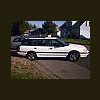
Pics of the "SEXY LADIES"

Featured Replies

oh man can I get close ups of the headlights?

I WANT THOSE RIMS NOW!!!!


Which rims are those?? The car's look awesome man!! Even with the hub caps :eek:

03' Legacy?

at first i was thinking spec B... but those are like 12 spoke..

  • Author

First, Jamal, do you want headlights or driving lights?:confused:

Second, I believe they are 02-03 WRX wheels. :rolleyes: Not quite sure the guy I got them from runs an import tuner shop here in town and he didn't really remember.:confused:


But you're right it does look nice even with hubcaps(wife's ride and she won't let me put anything on it):lol:

Those look like 04-05 WRX rims. 02-03 Rims are a bright silver.

  • Author

Oh well, they still look hella good on my car:banana:

Driving lights, and how you mounted them please. I used to have some brackets bolted to the bumper but I'm going to make a bar of some sort that I have mostly laid out in my head.


Also those are 05 WRX and 05 Legacy 2.5i wheels.


I personally prefer the 02-04 style on the 1st gen Legacy.

(I have the 02-04 wheels).

White one would make a good ad for Hooters!:lol:

Check out those LEGS.....


Man... all waxed and shiny :banana:

Please sign in to comment

You will be able to leave a comment after signing in

Sign In Now

Account

Navigation

Search

Search

Configure browser push notifications

Chrome (Android)
  1. Tap the lock icon next to the address bar.
  2. Tap Permissions → Notifications.
  3. Adjust your preference.
Chrome (Desktop)
  1. Click the padlock icon in the address bar.
  2. Select Site settings.
  3. Find Notifications and adjust your preference.