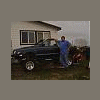
October 8, 200718 yr Author Hi This is Jerry, the Baja is my wifes subie. You ask do what well to post more pictures, i hope i can remember how to do it. Thanks Jerry
October 8, 200718 yr You ask do what well to post more pictures, i hope i can remember how to do it. Thanks Jerry Well keep it up Jerry--that's a very nicely composed picture of a very good looking vehicle! (However I know what you mean about remembering how to post pictures!)
October 8, 200718 yr Here overseas we dont have the baja (officially, very few imports) neither the outback sport. How should i see the baja? An legacy outback station with the last part removed converted into a pick-up (el camino style). Or are there very different things besides its the previous model legacy based car. To me it looks like the overhang on the rear is bit larger, what about the wheelbase. Its such a cool car.
October 8, 200718 yr Nice Car! Please share your info on posting pics; I can never get one to stick:-\
October 9, 200718 yr Hi Jerry! Your wife has great taste in cars <wink> here's mine... plus two of the quadruplets... http://www.ultimatesubaru.org/photos/showphoto.php?photo=5916&cat=500&ppuser=5798 Wish her the best for me! Mary
October 9, 200718 yr Author Hi This is Jerry, yes the Baja is my wifes pickup and i tell everybody the EA81 cars are a blast to drive and the Baja is class to drive. Thanks Jerry
October 9, 200718 yr likei said if you cant remember how just ask and i can show you again man it was funny when he got it to work the first time Rob

Please sign in to comment
You will be able to leave a comment after signing in
Sign In Now