Skip to content
View in the app

A better way to browse. Learn more.

Ultimate Subaru Message Board

A full-screen app on your home screen with push notifications, badges and more.

To install this app on iOS and iPadOS
  1. Tap the Share icon in Safari
  2. Scroll the menu and tap Add to Home Screen.
  3. Tap Add in the top-right corner.
To install this app on Android
  1. Tap the 3-dot menu (⋮) in the top-right corner of the browser.
  2. Tap Add to Home screen or Install app.
  3. Confirm by tapping Install.

and again

Featured Replies

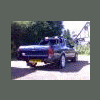
yup, sorry, dont mean to make you all drool, but i thought i need to share it


tjh85rallyhatch.jpg


yeah...........ROOOOOOOOOOOOD!!!!!!!!!!!!!!!!!!


lol, i know its not for some, but i thought this was proper dead cool, think some inspiration may be taken from this for mine :D

That's awesome!! I'd be interested in what they used for the setup! Looks mean!

damn that car looks sick... need to get my xt that low!

Holy hell, thats awsome. Yess Yess tell us how its done. Do you have any websights we could go to in order to get parts for things like this.

That's awesome!! I'd be interested in what they used for the setup! Looks mean!


Best guess.... Photoshop, look around the rear hatch..

  • Author
Holy hell, thats awsome. Yess Yess tell us how its done. Do you have any websights we could go to in order to get parts for things like this.


just cut springs, move torsion bars and shave bumpstops


then you'll be as low as u like

Please sign in to comment

You will be able to leave a comment after signing in

Sign In Now

Account

Navigation

Search

Search

Configure browser push notifications

Chrome (Android)
  1. Tap the lock icon next to the address bar.
  2. Tap Permissions → Notifications.
  3. Adjust your preference.
Chrome (Desktop)
  1. Click the padlock icon in the address bar.
  2. Select Site settings.
  3. Find Notifications and adjust your preference.