
Leaderboard

Popular Content
Showing content with the highest reputation on 07/14/20 in all areas
-
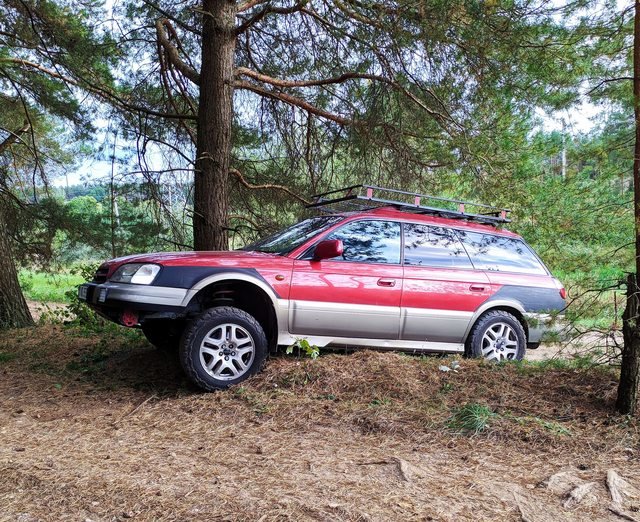
1 pointso what i bought . just normal city outback 3.0 VDC model and what it became to, first 5cm/2' lift spacers and larger tires 225/65R17 those had problems to fit there and live so i cut some plastic off there and hamered some stuff with hammer but in end all worked on those tires, and later i went for 7cm/2.8' lift just on spacers nothing else done and it works pretty cool , on high speeds on highway or just cornering tight in city this lift just works. front sway bar still in place , on this gen front sway bar is working with lift , though rear sway bar went off because it cant fit with lift . numbers in cm with 7cm lift front and rear proper recovery points and hili ft jack lift points and roof rack modified from 2001 so now that hi lift jack can be on full use and alike allways nothing is bought everything made by myself and because car was for trips so made something for myself too and to have small fire with us allways . very cmpact but made from pretty strong steel not thin and we sleeping in car too in trips with some foam matress it feels like sleep at home rly for 2 its just great. its taken from previous 2001outback that rusted away so i needed new car.1 point
-
Normal. In fact, looks like a pretty small amount for a manual transmission with that many miles on it. ASSuming it's actually an old-gen car, very small chance it's never been done in that time.1 point