
Leaderboard
-
foxgap
Members2Points292Posts -
forester2002s
Members1Points1206Posts -
wtdash
Members1Points1889Posts -
Steptoe's photos
Members1Points359Posts




Popular Content
Showing content with the highest reputation on 09/13/22 in all areas
-
2 pointsHUGE UPDATE. After 2 years of whines and now a loud rumble I took the car to yet another mechanic. This time he is a retired tire and suspension guy and he diagnosed the problem an old school way. We took the car out on a back road with a hill, he sat in the back seat and as we started down the hill I popped the car in neutral and shut off the engine. Bingo, right rear wheel bearing screaming away. Yesterday he replaced it and the car is now stone quiet, well a little noise from the cupped tires, but I can live with that till the new ones come in the spring when I take the snow tires off. Thanks for all the comments, you guys are great! Mark2 points
-
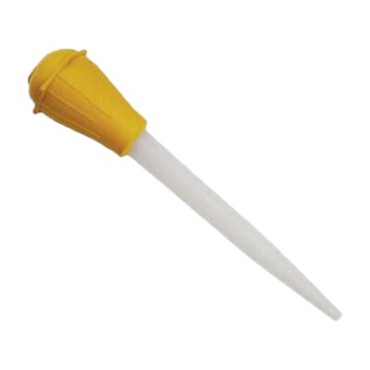
Not what was asked, but here's a useful tool for oil-filling: You can often find a Turkey Baster at low-cost at dollar-stores. Useful for filling or topping-up of rear-differentials. And can help with adding oil down the dipstick-tube of some manual transmissions.
 1 point
 -
1 point
-
Hi, I was getting that code and was told by GD on here to check my hoses: "Make sure the vacuum lines for the MAP sensor and MAP sensor switching solenoid are EXACTLY as indicated on the under-hood sticker. " It should be like this:1 point
-
Have you tried a steamer like used for wall paper removal? I was quite pleased how it helped take off the 30 year old window tint and residue on my 87 DL. I found a used steamer at a garage sale.1 point
