
Leaderboard
-
Numbchux
Members1Points7630Posts -
pontoontodd
Members1Points2618Posts

Popular Content
Showing content with the highest reputation on 12/30/24 in all areas
-
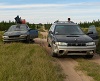
B and I decided to break in the engine on the Forester. Didn't start and idle well at first. Had a code for coolant temp high. I found the coolant temp sensor and we hadn't plugged the connector in so B did that. Seemed to idle smooth but he tried to do as little of that as possible. Went out of town and tried to run it at moderate load and RPM for 20-30 minutes. Ran as well as expected, temps were stable, sucked some coolant out of the overflow when it cooled off. B's big project was replacing his hatch. It'd been beat for a while, he got a better one over a year ago, wanted to wait until he had a good rear bumper to protect it. Added some wire plugs because the junkyard had cut the wiring. Swapped over wiper motor, lock, and actuator, got everything working.1 point
-
1 pointB/W is for the light. This must be connected for the alternator to charge. It can be fooled with a resistor with similar resistance as the bulb to 12v. Yellow is for the voltage reference. Wherever you connect this to, the alternator will target 14.5v at. In the OE config, it's tapped into an ignition switched engine fuse in the cabin. That's how it should be done. That said, the results would be acceptable to tap it into a switched power wire just about anywhere, but it might not be as effective at compensating for voltage drop, and therefore might not charge the battery as effectively.1 point