
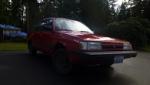
Tye
Members
-
Joined
-
Last visited
Everything posted by Tye
-
I was just thinking how cool it would be to somehow get my 1990 subaru loyale to be rwd but still have the pushbutton 4wd. is there any cheap reliable way of doing this, is it worth it? Your thoughts
-
Sorry for the late response, It ended up being a wiring problem, one of the wires was just seperated. Nothing a little soldering cant fix!!
-
-
Hey everybody, I just got a 1990 Subaru Loyale a few days ago (will post pictures soon), while driving the check engine light turned on. It turns out it is a ISC Solenoid Valve Fault. I'm just wondering if anybody else has had this problem and what you guys did to fix it. EDIT; my bad guys, i was looking at the wrong codes After looking at the correct codes the problem is in fact the Idle Air Control Valve or Circuit.
-
Hey Guys I was just wondering who daily's a Subaru Brat , and if y'all have problems with the power, or lack of?
-
-
-
Hey yall, I have been looking For Subaru Loyales lately in my area. I recently found one with low miles for a decent price. BUT, its in Canada Im not sure if there are any rules for bringing used cars over the border into washington. If anybody could give me some advice it would help alot thanks It is a 1992 subaru loyale wagon.

