Skip to content
View in the app

A better way to browse. Learn more.

Ultimate Subaru Message Board

A full-screen app on your home screen with push notifications, badges and more.

To install this app on iOS and iPadOS
  1. Tap the Share icon in Safari
  2. Scroll the menu and tap Add to Home Screen.
  3. Tap Add in the top-right corner.
To install this app on Android
  1. Tap the 3-dot menu (⋮) in the top-right corner of the browser.
  2. Tap Add to Home screen or Install app.
  3. Confirm by tapping Install.

1990carenthu

Members
  • Joined

  • Last visited

  1. Have you managed to solve this issue? It is important to at least start the car from time to time to avoid such issues.
  2. The engine compartment looks really clean. Your wheels and tires look fresh. How many miles do you have on your car? What will be the next upgrade for this sedan?
  3. I wish you all the best with the modification of this car. You can check 4WheelOnline for other accessories which you can install in this vehicle. Keep us posted on the progress.
  4. Thank you for taking us on this adventure. It seems like a pretty tough trail, which off-road tires do you have on this car?
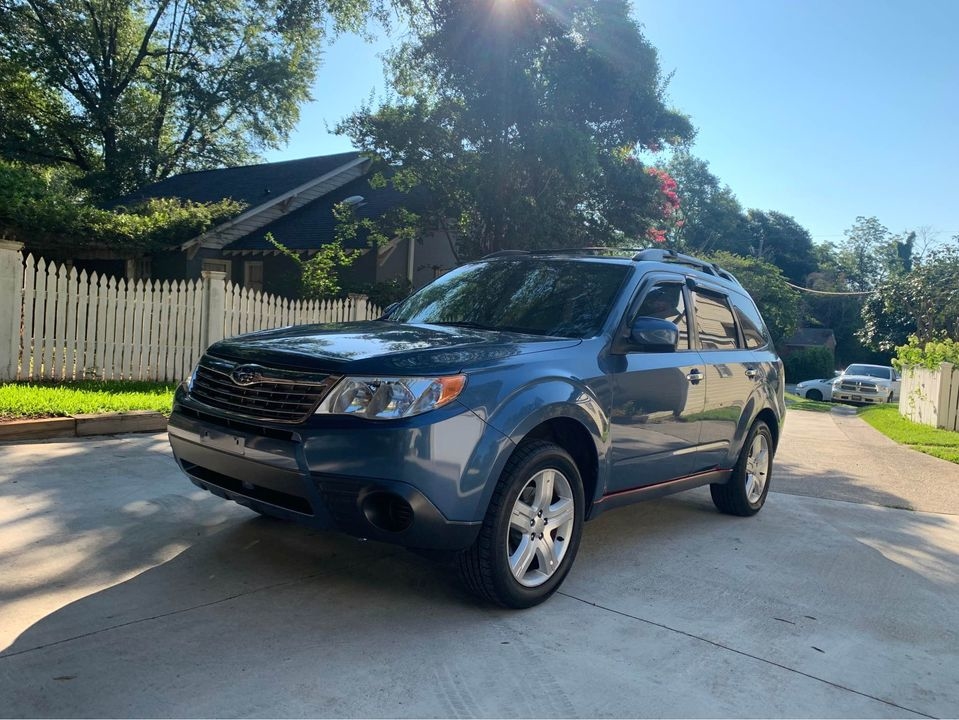
  5. How are you all? I am the latest addition to this community and below is a photo of my ride.
Account

Navigation

Search

Search

Configure browser push notifications

Chrome (Android)
  1. Tap the lock icon next to the address bar.
  2. Tap Permissions → Notifications.
  3. Adjust your preference.
Chrome (Desktop)
  1. Click the padlock icon in the address bar.
  2. Select Site settings.
  3. Find Notifications and adjust your preference.
