August 9, 201015 yr hi ,ive just bought an mv pickup(brat,brumby,etc.!) which i intend to modify a bit. hello from shropshire! cheers
August 9, 201015 yr Author hi,ive joined cause ive just got an mv,brat, brumby!! hello from shropshire
August 9, 201015 yr WELCOME you will find just about anything you need here. Now pics of the brumby we love us some nice brats Rob
August 10, 201015 yr MV is the euro code, Brumby is the Aus / downunder code, BRAT is the USDM code, lol all the same vehicle, but what year did you get? we only had 78-87. AU had til like 94?
August 11, 201015 yr Welcome! it will be very nice to see Pictures of your Subie ... Please, excuse my ignorance but, could I Ask Where is located shropshire? Kind Regards.
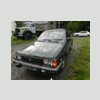
August 20, 201015 yr Author mines a 1991, not that much different from an 89 i think.its full of dents but not too rusty,which is good for one from the uk,as most have fallen apart now!
August 20, 201015 yr Author hi,i'll post some photos soon,im in south shropshire near bishops castle,do you now it?
August 21, 201015 yr greetings to our new friend 'down under'.... as you can tell, we likes photos.. alot! We're very vizual heer.
August 21, 201015 yr Actually, I think our new friend is from "up and over and across the pond." Merrie Olde England, just a few miles from the Welsh border--beautiful countryside. Right, jas? BTW, welcome to USMB.
August 22, 201015 yr Author ha,youre right olnick i am across the pond,and very near wales! thanks for the greetings

Please sign in to comment
You will be able to leave a comment after signing in
Sign In Now