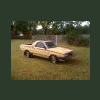
October 20, 201015 yr Author Who does that amazing machine belong to? Found this on the internet and love the look. SJ
October 23, 201015 yr They are toyota hliux rims, made by weller, 15x8, the guys thread is on retro rides, http://retrorides.proboards.com/index.cgi?action=display&board=readersrides&thread=67165&page=1 And the pickup has just been in a magazine in the uk
October 24, 201015 yr Im not a big fan of the wheels sticking out past the fenders look. I mean it looks ok but ive seen better looking wheels on these cars.
October 24, 201015 yr Im not a big fan of the wheels sticking out past the fenders look. I mean it looks ok but ive seen better looking wheels on these cars. +1 - there are better looking options. They look aright and are definitely functional on a wheeler (where wider isn't neccesarily a bad thing), but on a street unit like that it's no the best choice of offset. GD

Please sign in to comment
You will be able to leave a comment after signing in
Sign In Now