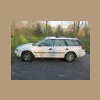
April 30, 201114 yr 1995 Legacy with 2.2 won't start when hot/up to normal running temp. Always starts right up when cold, runs great, but then once it's up to temp, it will turn over and over but not fire up. Let it sit for an hour to cool back down, starts right up. I have good fuel pressure as I just checked when replacing the fuel filter, fuel pump comes on every time I turn the key. I'm guessing this is some sort of sensor malfunction?
April 30, 201114 yr any check engine light? crank or cam sensor will cause no start conditions. get a used one, they don't fail often enough to warrant the high price of new. ignition coil/igniter could be failing too.
April 30, 201114 yr coolant temp sensor. Itls located on the left side of the motor behind the intake on the water crossover tube. ypu can get one at napa
April 30, 201114 yr Leaky injector,perhaps.Try starting w/throttle floored to clear the excess fuel. Check for spark if that doesn`t work.
May 1, 201114 yr Coolant Temp Sensor FTW, I said it a few days ago way before he posted the thread. I have a used one in my tool box that we're gonna try. Cam/Crank sensors would cause a no start issue even if the engine is ice cold.
May 2, 201114 yr Author Pulled the CEL codes, CPS and Knock Sensor both manfunctioning. Up on blocks now anyways, doing new rear brakes and parking brake shoes and hardward and Outback struts.
May 2, 201114 yr you can get a code for one thing, compounded by something else. Based on common ocurrence, the CTS is the likely culprit.
May 2, 201114 yr several years ago there was a similar thread. the guy was able to start the car when hot by pouring water on the cts and cooling it. tricking the engine into thinking it was cool. this may not help, but who knows. if it starts you have identified the problem. if not, it could still be the cts or maybe something else.
May 2, 201114 yr Author I now have an extra CTS, but I will wait until I replace the CPS and Knock Sensor and see if the issue persists. If so, I will replace the CTS as well, but I like to know the exact cause of a problem before I just replace everything.
May 4, 201114 yr By tis approach, you are contradicting yourself. Start with the CTS, and i bet your knock sensor code goes away. Replace the free part first, before dropping 80 bucks on a knock sensor you dont need
May 5, 201114 yr Author Replaced the CPS today, it was about $25 from RockAuto. Let the car get hot and shut it off, restarted several times right away. I already ordered the Knock sensor, wasn't to expensive ($45 again from RockAuto) so I'll just keep that and the CTS handy in the car with some basic hand tools just in case. Oh, and no more CEL showing up any more either. Edited May 5, 201114 yr by jboymechanic added comment
May 5, 201114 yr Replaced the CPS today, it was about $25 from RockAuto. Let the car get hot and shut it off, restarted several times right away. I already ordered the Knock sensor, wasn't to expensive ($45 again from RockAuto) so I'll just keep that and the CTS handy in the car with some basic hand tools just in case. Oh, and no more CEL showing up any more either. I was betting it was the CPS, as mine did the same thing last year, it would also die randomly at stop lights Lol. But yeah, I replaced everything to start fresh, Cam/crank sensor, CTS, Knock sensor. You need to do plugs and wires on that too, Why didn't we do them when we put the motor back in?
May 5, 201114 yr Author Not sure, but I'll get to plugs and wires eventually. Hoping the rest of the parts come tonight so I can wrap up the rear brake job.

Please sign in to comment
You will be able to leave a comment after signing in
Sign In Now