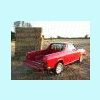
August 14, 201312 yr Hi FolksA Christmas (or so) back, my better half Jo bought me a highly original present: some professional photography of my pickup This nearly ended up being a massive FAIL on my part as I didn't get off my backside and book the shoot for ages... and when I finally got around to it, the company had gone bust Thankfully, Lady Luck was smiling when I doorstepped the new owner... and he offered to take them at no further cost to me! Here's a selection of the results... I really like the whole "infinity studio" thing! Many evenings were spent polishing the paintwork, chrome and glass; treating the tyres & rubber trim, removing previously unnoticed overspray with Nitromors and T-Cut etc...
August 15, 201312 yr So that is what they are supposed to look like when all prettied up?! Makes mine look like a turd but what can you do. I will save them all for reference photos. Thanks.
August 15, 201312 yr Beautiful, Beyond Awesome! It Looks like Ronald Reagan's restored Brat in a Museum. Kind Regards.
August 18, 201312 yr Holy poop. That's amazing. Color me green with jealously. Seriously, stringing words together about these fails me at the moment.
August 18, 201312 yr I'd love some details on all the work that went into your Brat. For starters, where in the world did that perfect dash come from?!?!? Nice!

Please sign in to comment
You will be able to leave a comment after signing in
Sign In Now