Skip to content
View in the app

A better way to browse. Learn more.

Ultimate Subaru Message Board

A full-screen app on your home screen with push notifications, badges and more.

To install this app on iOS and iPadOS
  1. Tap the Share icon in Safari
  2. Scroll the menu and tap Add to Home Screen.
  3. Tap Add in the top-right corner.
To install this app on Android
  1. Tap the 3-dot menu (⋮) in the top-right corner of the browser.
  2. Tap Add to Home screen or Install app.
  3. Confirm by tapping Install.

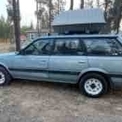
1991 Loyale idle/acceleration issue

Featured Replies

Could also easily be a bad ECU. The factory ECU in my 90 Legacy loaner car went bad and threw about 6 codes we could never clear. Swapped that junk for a LINK plug and play and the LINK had no issue at all with the wiring or sensors - car ran flawlessly. That was the era where they started pulling the lead out of the solder and it cracks with age. Not to mention leaking capacitors, etc. 

It may simply be a bad computer. Best way to deal with that is to round-file the stock ECU and run it with something like the LINK Monsoon. 

https://dealers.linkecu.com/G4X-MonsoonX-ECU-V3

GD

  • Replies 52
  • Views 5.7k
  • Created
  • Last Reply

Top Posters In This Topic

Most Popular Posts

  • Indicates a faulty MAF

  • I check the CTS with an ohmmeter.  Run the engine till normal operating temp.  Shut off.  Log the temp immediately, and several time on the way back down.  If you don't have one of those IR thermomete

  • Here is my compilation of CTS data - Subaru CTS temps.rtf

Posted Images

  • Author

I decided to re-verify my MAF harness voltages.  It's getting 12V on the red wire, but the white is reading 5.3 mV (key on/eng off).  Specs I've read are 100-500 mV.  I am thinking this is not bueno.

Where is the other end of that white wire?

image.png.fcf64f21212267089308bab3b6dba88a.png

Edited by Phil Hyde

my chilton manual says white wire is the signal wire - I presume it goes straight back to computer.

Please sign in to comment

You will be able to leave a comment after signing in

Sign In Now

Account

Navigation

Search

Search

Configure browser push notifications

Chrome (Android)
  1. Tap the lock icon next to the address bar.
  2. Tap Permissions → Notifications.
  3. Adjust your preference.
Chrome (Desktop)
  1. Click the padlock icon in the address bar.
  2. Select Site settings.
  3. Find Notifications and adjust your preference.