July 5, 200619 yr the Rockey mountain mock up is sweet!! how appropriate for your state.here is a pic of mine in 2 tone. personally i think a black bottom gives you "visual" lift:grin:
January 19, 200719 yr Heres one I done for Soobmater before he done his.It's on this page (top right) http://webmaster.beverleypaine.com/gallery5.html Not too keen on the ones that dont make it to the trim line. But I do like it going over the fenders.. That brat looks great!
January 21, 200719 yr I remember seeing this before, and for some reason, I thought there were more examples ... I'd love to see some more. Maybe I'll do a better search ...
January 22, 200719 yr I remember seeing this before, and for some reason, I thought there were more examples ... I'd love to see some more. Maybe I'll do a better search ... Yeah, there's more than one thread. I remember I posted a bunch of mine somewhere.... Here. http://www.ultimatesubaru.org/forum/showthread.php?t=46066&highlight=paint My picture server went down though... :-\ Try these for new pics

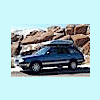
Please sign in to comment
You will be able to leave a comment after signing in
Sign In Now