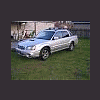
July 24, 200619 yr Hey all, Got bored today so I printed up the baja cutout I had downloaded somewhere and with my wife's patient help assembled it. Check out attached links for pics of end product. Spacinjason '06 Baja Turbo MT:burnout: http://upload4.postimage.org/678611/photo_hosting.html http://upload4.postimage.org/678621/photo_hosting.html http://upload4.postimage.org/678540/photo_hosting.html http://upload4.postimage.org/678575/photo_hosting.html
July 24, 200619 yr Author I'm glad you guys liked it, I thought it was kind of cool! Anyone know how to change the color or have a program that will easily change the color? I would love to have a silver cutout! If anyone can do that I would be extremely grateful! I want to make a silver one! I recommend using a exacto blade to cut it out if you make one, scissors are kind of difficult! Please post pics if you make one! Spacinjason '06 Baja Turbo MT:burnout:
July 24, 200619 yr The car seems to handle that rough terrain with no problem. Most others couldn't handle it and would be dead in their tracks.
July 24, 200619 yr Author The car seems to handle that rough terrain with no problem. Most others couldn't handle it and would be dead in their tracks. LOL! Yeah, it must be the advantage of AWD! Plus if you look closely, it has incredibly skinny tires that really dig in for superior traction! Spacinjason '06 Baja Turbo MT:burnout:
July 24, 200619 yr Dude you're too much and you have way too much time on your hands! Just kidding, but seriously that is really cool and looks like it was a lot of fun and this is the neatest thing I've seen in a while!

Please sign in to comment
You will be able to leave a comment after signing in
Sign In Now