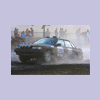
June 6, 200817 yr Judging from the dust in front of you, looks like you were catching whoever was there. I can relate; back in the day, when I co-drove I had an iron stomach. Never barfed on a stage rally or fast gravel tsd event. Only barfed once on a short Saturday nighter with my wife driving. We had gotten to the start late so we skipped dinner; I found out my stomach didn't like being empty....I just opened the door and let it out. My wife started to pull over; I told her not to bother and just keep going. Lesson learned....always have a good dinner before any event.
June 6, 200817 yr Author Judging from the dust in front of you, looks like you were catching whoever was there. happened a few times, that's the problem of having no speed factor, you start way in the back. but after oregon trail i now have one.
June 6, 200817 yr Hmmm, maybe some Dramamine next time? That had to be rough Actually, Bonine works better. I never needed it, but always had it with me.
June 6, 200817 yr Actually, Bonine works better. I never needed it, but always had it with me. Neither have I, even in rough seas :-p
June 6, 200817 yr Classic. One of the reasons I could never co-drive. Reading + moving vehicle = mess.
Please sign in to comment
You will be able to leave a comment after signing in
Sign In Now