
Leaderboard
Popular Content
Showing content with the highest reputation on 11/30/21 in all areas
-
Hey everyone! Update: The Brat is alive! So after doing all of the electrical tests and finding that everything checked out fine, myself and a friend who knows a little more about carburetors than I do decided to take the carburetor cover off of the carburetor body itself and found that the seat for the needle (I believe that is the correct terminology) was backed all of the way out, preventing the proper fuel flow. Now with it properly adjusted, the Brat is running great. Thank you all so much for your help.1 point
-
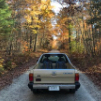
@el_freddo found them on https://a15ff11300g.sakura.ne.jp/ (playwithlegacyrs dot com) long ago... Been wanting to re-share my favorites from that site since my original photo host crashed and burned. Looking forward to sharing more of my own personal photos and photo-finds as I get them sorted out... this last summer I found a stash of old paper Subaru Advertisements ranging from the 70's to the 2000's...1 point