Leaderboard
-
brus brother
Members2Points2889Posts -
idosubaru
Members1Points26995Posts -
Daskuppler
Members1Points472Posts -
longtimeacoming
Members1Points7Posts


Popular Content
Showing content with the highest reputation on 07/15/22 in all areas
-
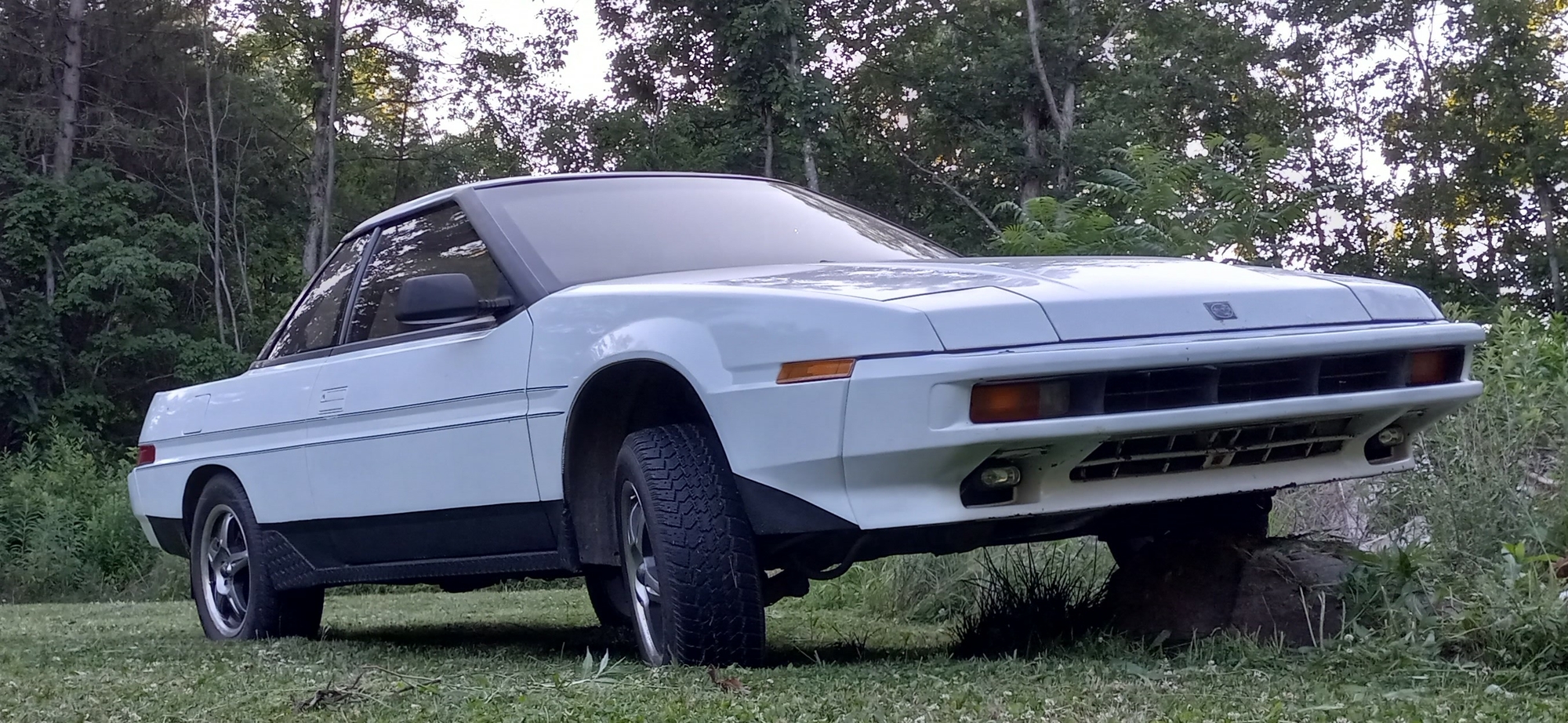
Thought I should post a couple updated pics of Blanche, my XT6, since I've gotten her pretty much completed (minus a few little nit-picky things).
 1 point
 -
Yep. I should look at what sub forum before I post, EA axle supply is an issue. Can't really lump EA and EJ axles together like I used to. Gloyale said in his shop they pull apart all new aftermarket axles and regrease them before installing due to inconsistent grease on the new ones. He said this noticeably reduces future issues.1 point
-
cost to ship versus cost to replace SAFETY FIRST, SECOND AND THIRD1 point
-
GD's $9000 potential hit sounds like it's time for Craigslist For Sale By Owner for possessions unless family heirlooms. No white knuckle driving and a moment to reassess what one needs to carry into the next phase of life. (Says the geezer with a garage and basement filled with junk.)1 point
-
This ended up being a wheel bearing.1 point