
Leaderboard
-
lmdew
Members2Points4692Posts -
Daskuppler
Members2Points472Posts -
1 Lucky Texan
Members1Points10144Posts -
573417h
Members1Points41Posts




Popular Content
Showing content with the highest reputation on 04/13/23 in all areas
-
2 pointsThe engineers get blamed for a lot of design issues, but we forget that they are constrained primarily by budget. Subaru tells them to build a car for x amount so they do it. Some things just cannot be accessible for a reasonable cost. I've also owned Subarus for well over 10 years now and never had to replace a relay on any of the cars. Everything is a trade-off and is largely based on likelihood of failure and service. The relays could be made easy to access at the sacrifice of your interior lighting fuse., Or headlights, etc. Have you tried working on a Jeep? Nissan? Toyota? Ford? Us Subaru guys actually have it pretty easy. At least our cars are.pretty reliable and easy to work on.2 points
-
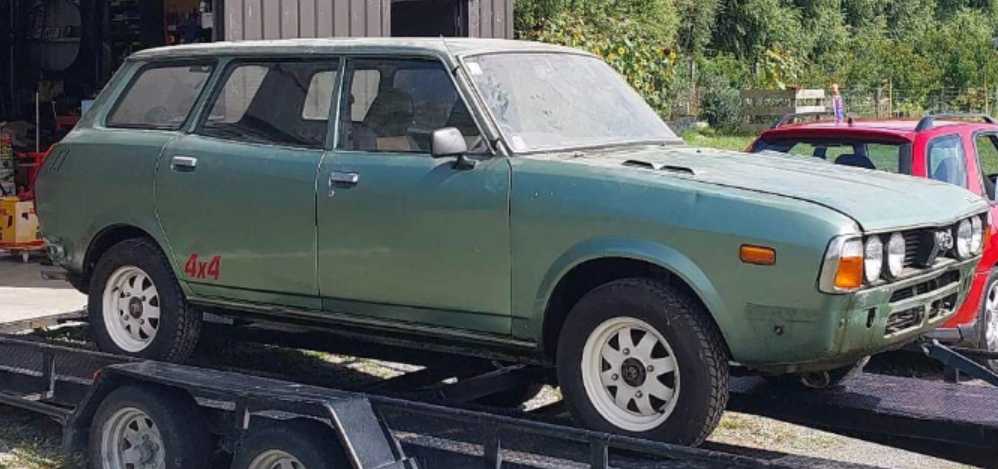
1 pointAquired this and plan to get back to original, might motor covert it later down the track....definatly want to track down a twin headlight front rather than the quad... but we will see what happens, have found a 2nd one, unsure if its for sale, need to do some digging on that still. Needs a fair bit of rust done, have started stripping it, currently have gutted the interior, and full loom etc, only have motor and glass to remove
 1 point
 -
Aftermarket speakers. Drivers' door, one of the spade terminals was broken off the mount, I guess grounding out the speaker system.1 point
-
1 point